Top 6 Ransomware Backup Tips
Ransomware poses a serious threat to businesses by locking or stealing data and disrupting operations. A solid backup strategy is essential for recovery and minimizing damage. Here are six key best practices:
Encrypt Your Backups
Use strong encryption (e.g., AES-256) to protect backup data from being accessed or modified by attackers.Back Up Frequently
Set backup schedules based on data importance — daily for critical data, weekly or monthly for less sensitive data.Automate Backups
Automated tools reduce human error and ensure timely, consistent backups without manual intervention.Use the 3–2–1 Rule
Keep 3 copies of your data, on 2 different media types, with 1 copy stored offsite or in the cloud.Test Backup Recovery
Regular recovery testing ensures that backups are complete, usable, and can be restored quickly when needed.Leverage Cloud Backups
Cloud backups offer offsite protection, encryption, and better resilience against ransomware targeting local systems.
Why Choose Vinchin Backup & Recovery?
Many solutions like Veeam offer strong protection but may require complex setup and maintenance. Vinchin Backup & Recovery simplifies ransomware protection with:
Easy deployment and management
Built-in encryption and real-time monitoring
Support for 3–2–1 strategy and cloud backups
Fast VM backup in just a few clicks
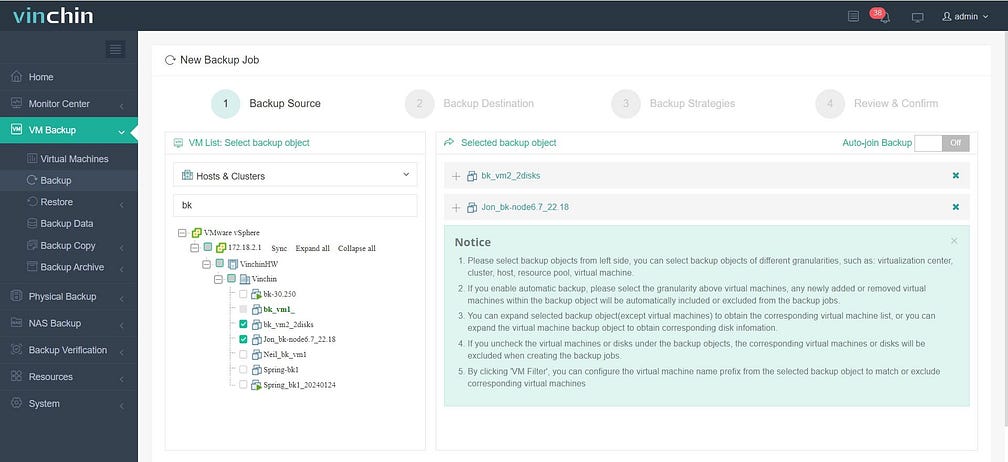
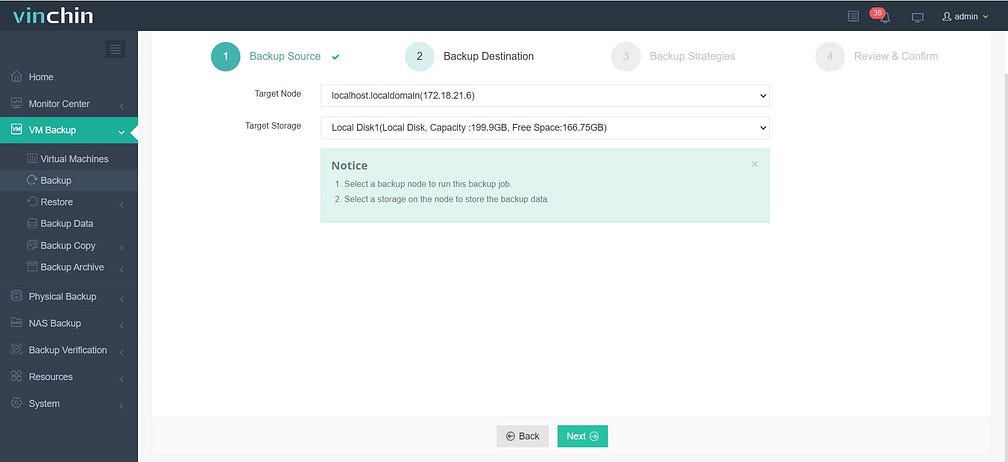
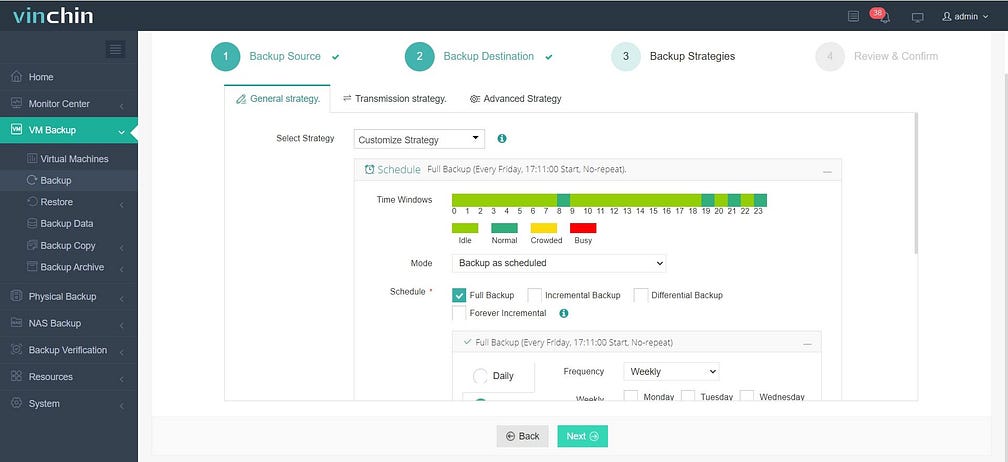
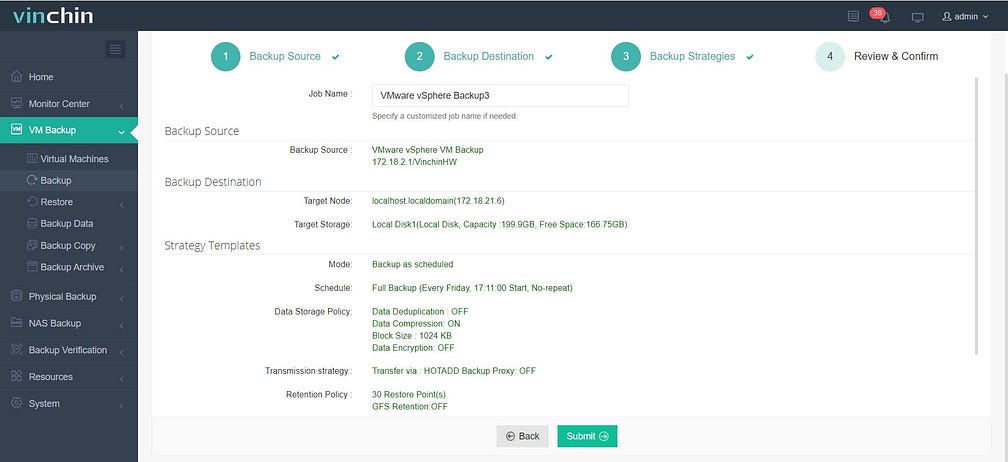
Vinchin Backup & Recovery’s operation is very simple, just a few simple steps.
1.Just select VMs on the host
2.Then select backup destination
3.Select strategies
4.Finally submit the job
Whether you’re protecting VMware, Hyper-V, or other environments, Vinchin offers reliable protection with low complexity.
🎁 Try it free for 60 days — experience Vinchin in your own environment today.